
Get omnichain UX right
Before building, you must define the user’s path across chains. Unified commerce fails when users face friction at every network switch. The goal is a single transaction that handles the heavy lifting, not a series of disconnected approvals.
Define the cross-chain flow
Map every step a user takes from entry to completion. Identify where assets move between chains and where data must sync. If a user must bridge assets manually, switch networks, or manage multiple transactions, the experience is broken. Design for a single transaction that moves value and updates state across endpoints simultaneously.
Standardize the wallet interaction
Users should not need to manage different wallets for different chains. Implement a unified wallet interface that abstracts the underlying blockchain complexity. This means hiding network selection from the user where possible and ensuring the wallet provider can sign transactions for multiple chains. If the user sees a different network prompt at every step, trust erodes.
Handle failures gracefully
Cross-chain transactions are prone to delays and failures. Your UX must handle these states clearly. Do not leave the user waiting in a void. Provide real-time status updates and clear error messages if a transaction fails. Offer a simple way to retry or cancel. A broken state is worse than no state; always give the user a path forward.
Verify with real cross-chain tests
Test your flow on mainnet, not just testnets. Mainnets have higher stakes and different latency profiles. Verify that the user sees the correct balance updates across all involved chains. If the UI shows a completed transaction on one chain but the other chain is still pending, the UX is misleading. Consistency is more important than speed.
Build an omnichain customer journey
Unified commerce relies on an omnichain foundation to remove friction between channels. Instead of forcing customers to switch networks or bridge assets manually, an omnichain architecture handles the complexity in the background. This approach ensures that whether a user shops via mobile app, web, or in-store, the experience feels like a single, continuous interaction.
Follow these steps to design and implement an omnichain UX that prioritizes seamless customer journeys.
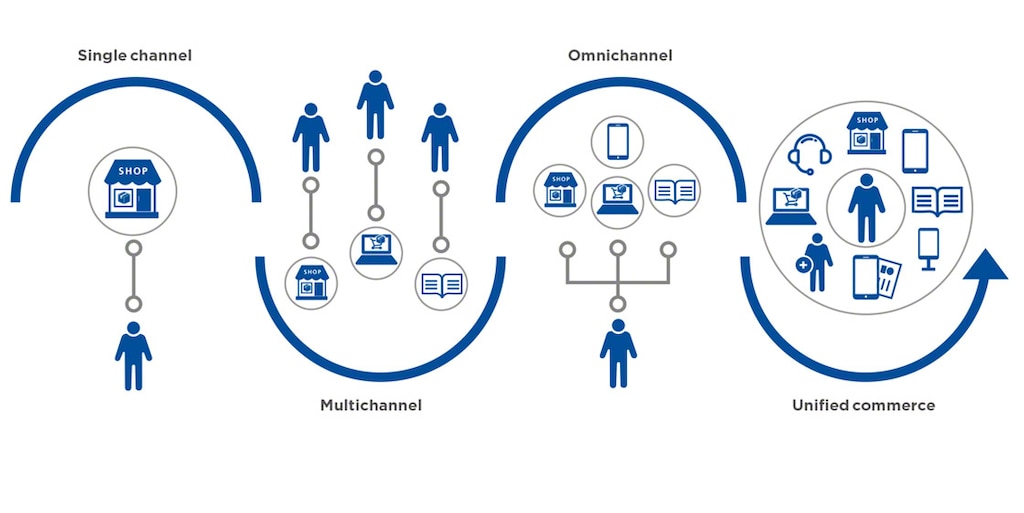
Identify every point where a customer interacts with your brand, from initial discovery to post-purchase support. Map these touchpoints to the underlying blockchain networks they traverse. For example, a loyalty reward earned on Chain A might be redeemed on Chain B. Documenting this flow reveals where traditional silos create friction and where omnichain protocols can unify the data.

Select a reliable cross-chain messaging protocol, such as LayerZero, to enable communication between disparate networks. This infrastructure allows your application to send and receive messages without requiring users to manually bridge assets. By integrating these protocols, you ensure that state changes on one chain trigger appropriate actions on another, maintaining data consistency across the entire journey.
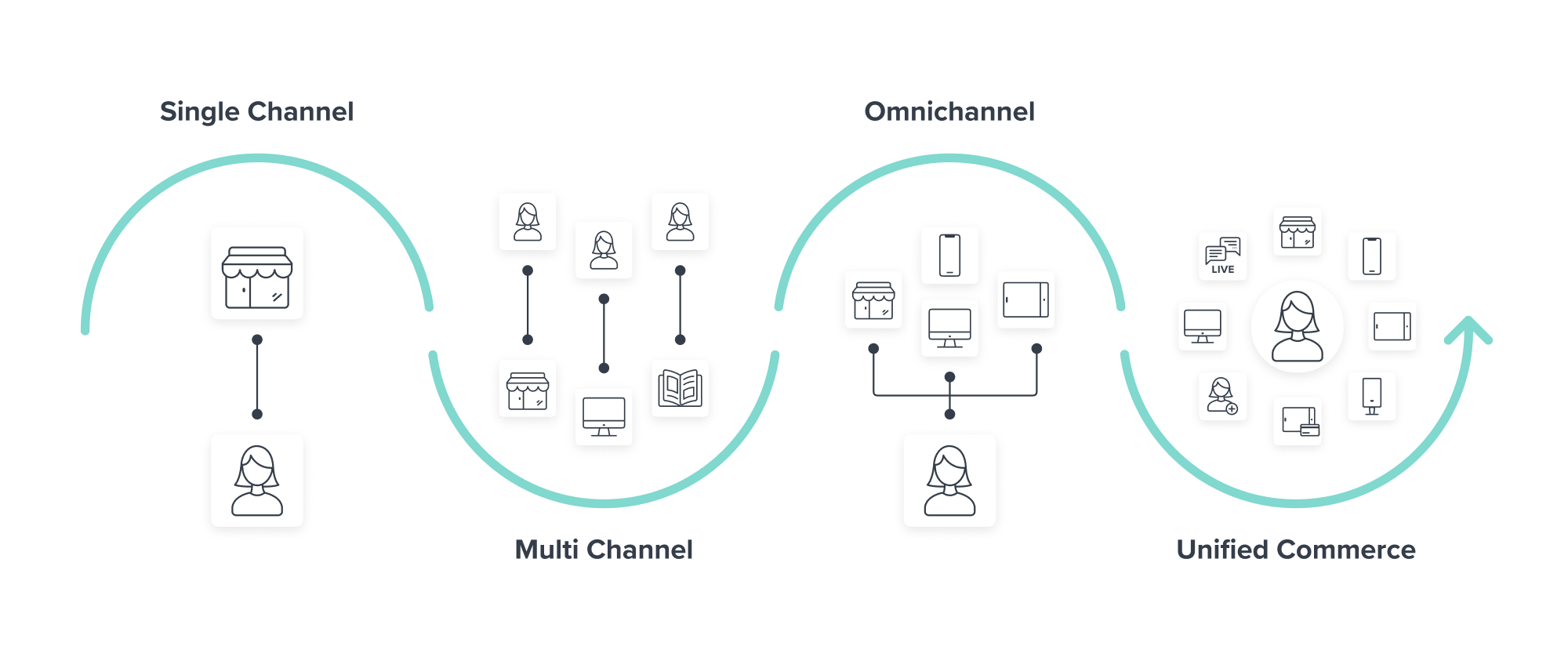
Deploy Omnichain Vaults (OVault) to manage user assets across multiple chains. This standard allows users to interact with their funds without switching networks or managing multiple transactions. A single transaction can handle the underlying complexity, providing a seamless user experience where the customer remains focused on their goal rather than the technical mechanics of the blockchain.
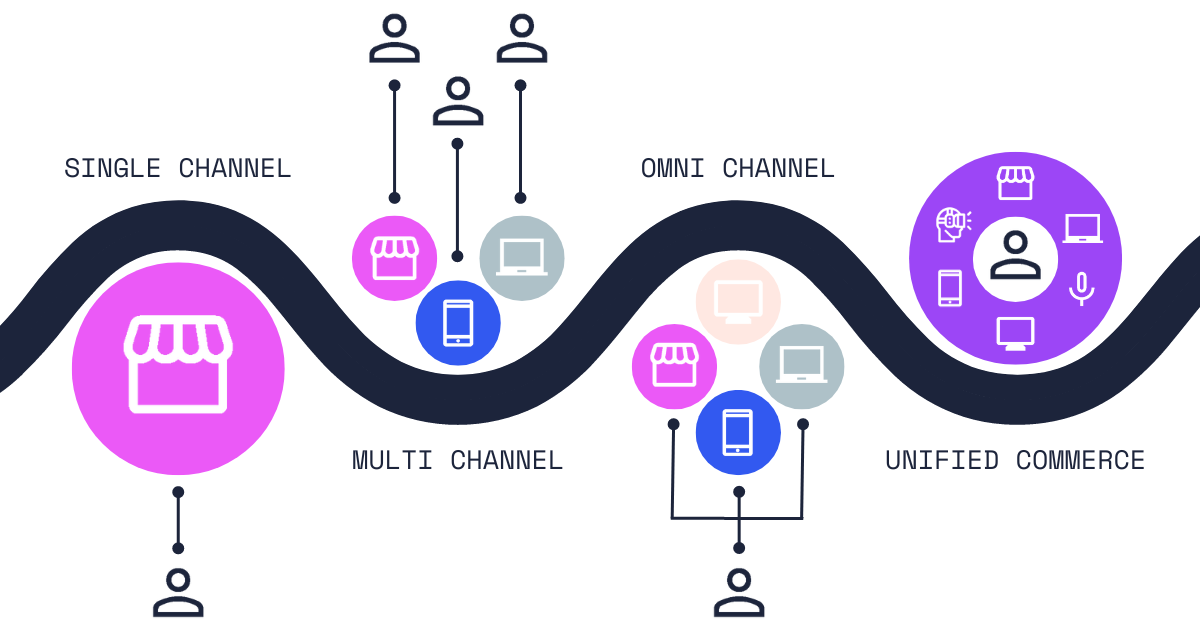
Build a frontend interface that abstracts away the underlying chain complexity. Users should see a single, coherent dashboard regardless of which network their assets reside on. This layer handles the translation of cross-chain data into a consistent format, ensuring that inventory levels, loyalty points, and transaction history appear accurate and up-to-date in real-time.
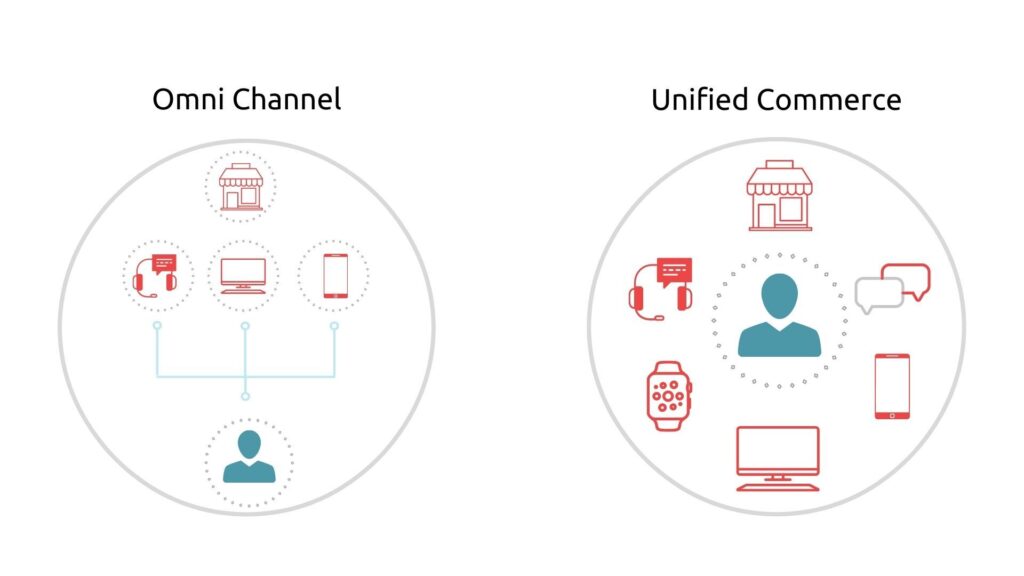
Simulate customer journeys that span multiple networks to identify latency or failure points. Test scenarios where a user starts on one chain and completes a purchase on another. Verify that the cross-chain messaging and vault mechanisms execute correctly under load. This step is critical for ensuring reliability before launching to a live audience.
-
Map all customer touchpoints to underlying chains
-
Integrate cross-chain messaging protocol (e.g., LayerZero)
-
Deploy Omnichain Vaults (OVault) for asset handling
-
Design a unified frontend interface
-
Test end-to-end cross-chain transaction flows
Fix common mistakes in omnichain UX
Poorly executed omnichain experiences leave users stranded when a transaction fails or a network switch goes unnoticed. The promise of seamless cross-chain interaction collapses if the interface doesn’t clearly communicate state changes or error recovery. Below are the most frequent pitfalls and how to correct them.
Ignoring network switch latency
Users often don’t realize their transaction is waiting for confirmation on a destination chain. If your UI assumes instant finality, users may think the app is broken and abandon the flow. Show a clear status indicator during the bridging or validation phase. Use LayerZero’s OVault standard to abstract the underlying complexity, but still provide visible feedback that the asset is in transit. Never hide the waiting period; make it part of the experience.
Failing to handle partial failures
In an omnichain environment, a transaction might succeed on the source chain but fail on the destination. If your app doesn’t detect or resolve this mismatch, users lose assets or trust. Implement robust error handling that detects stuck transactions and offers a recovery path, such as a refund or retry option. Always confirm final state on the destination chain before marking the journey complete.
Overcomplicating the user flow
The goal of omnichain is simplicity, but many designs add too many steps or unclear decisions. Users shouldn’t need to choose between networks manually if the app can handle it. However, if user choice is required, present options clearly with cost and time trade-offs. Avoid burying critical information in tooltips or secondary menus. Keep the primary path straight and the fallbacks obvious.
Neglecting mobile limits to account for
Omnichain transactions often involve multiple steps or larger data loads. Mobile screens have limited space and slower input methods. If your desktop flow doesn’t adapt, mobile users will struggle. Simplify the mobile view to show only essential status and actions. Test the full journey on low-bandwidth connections to ensure it doesn’t break under real-world conditions.
No comments yet. Be the first to share your thoughts!